
Home / Features
Explore Homieva
One Project ID connects every feature.
Scope, photos, estimates, the accepted bid, contract, change orders, schedule, tasks, subs, crew, payments, receipts, documents, updates, reviews and warranties — on one record, from the first idea to the home's permanent history. Every screen below is from the production app.
Bids & privacy
AvailableStructured bids, private contact.
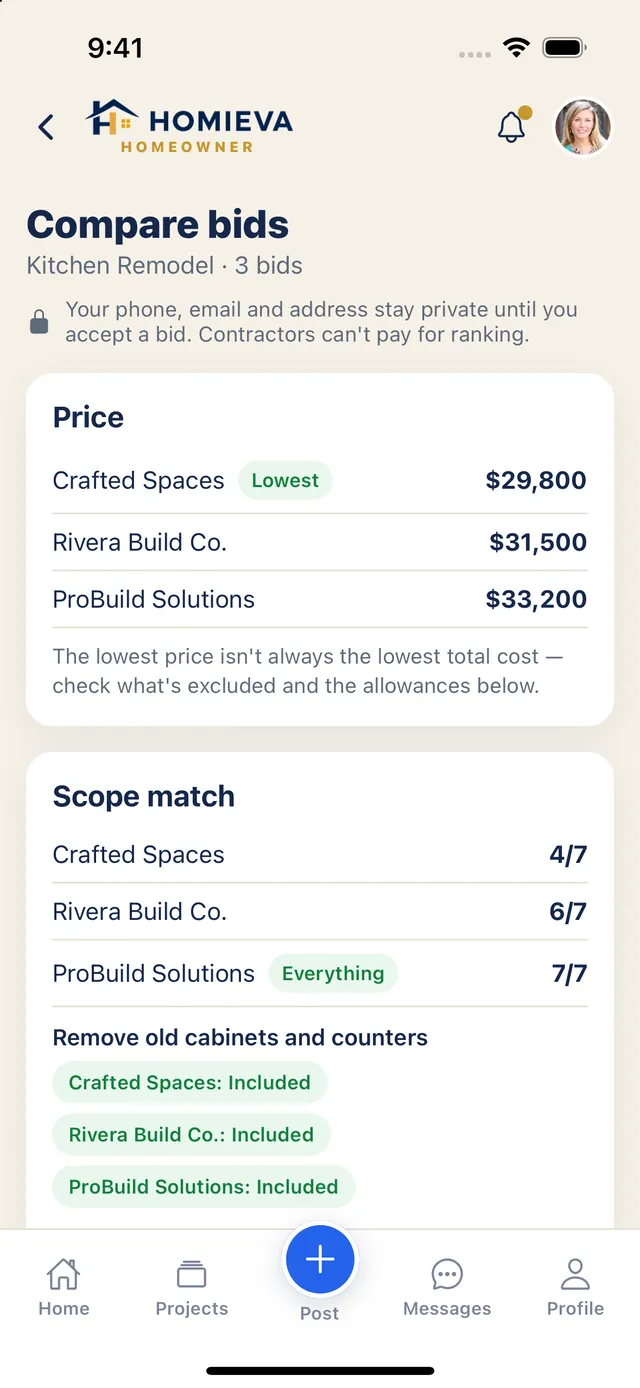
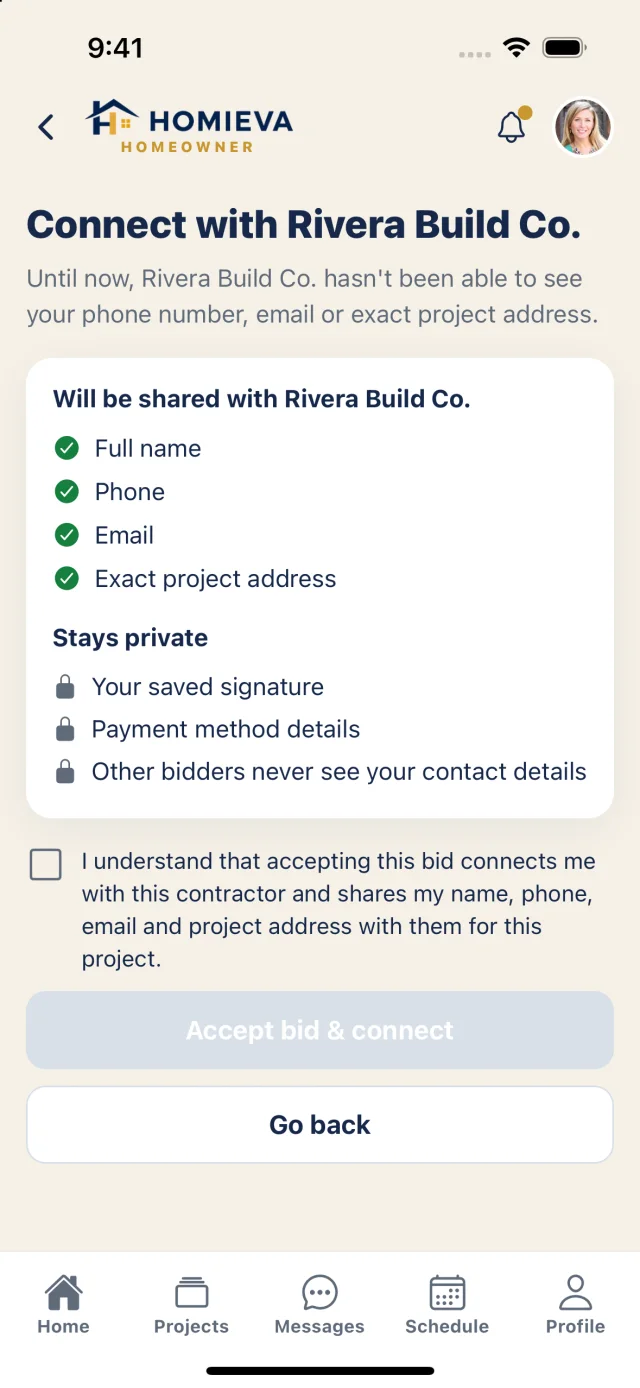
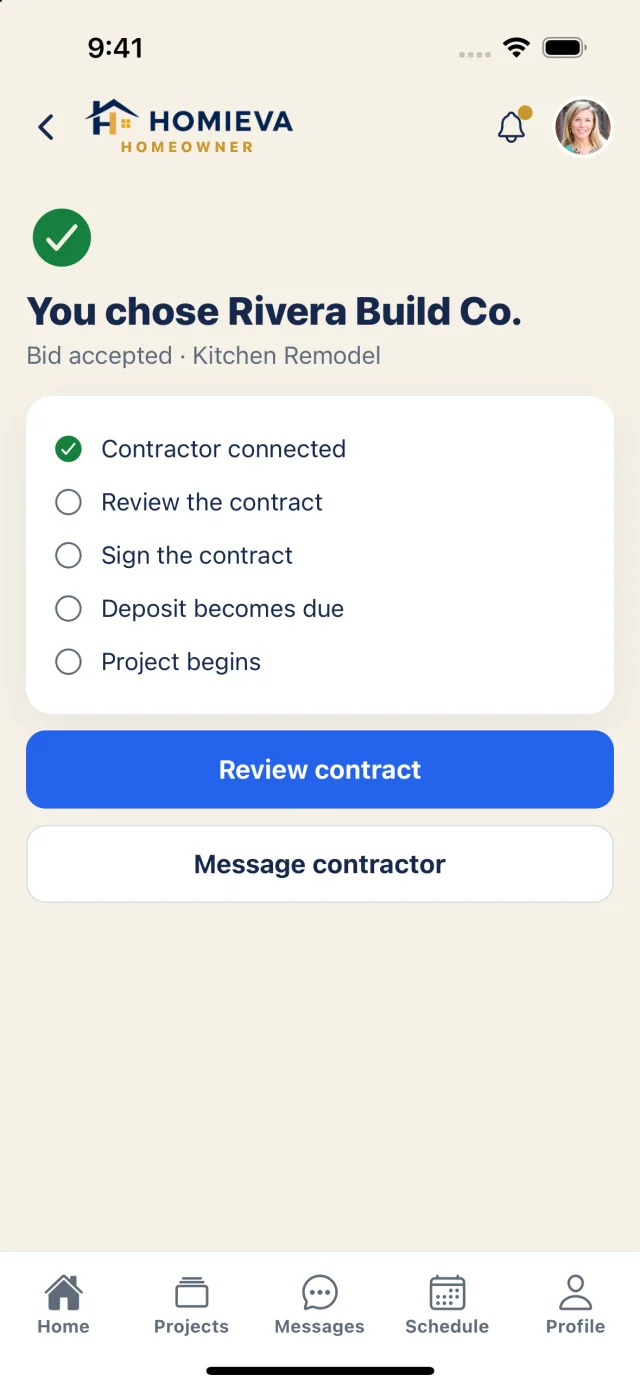
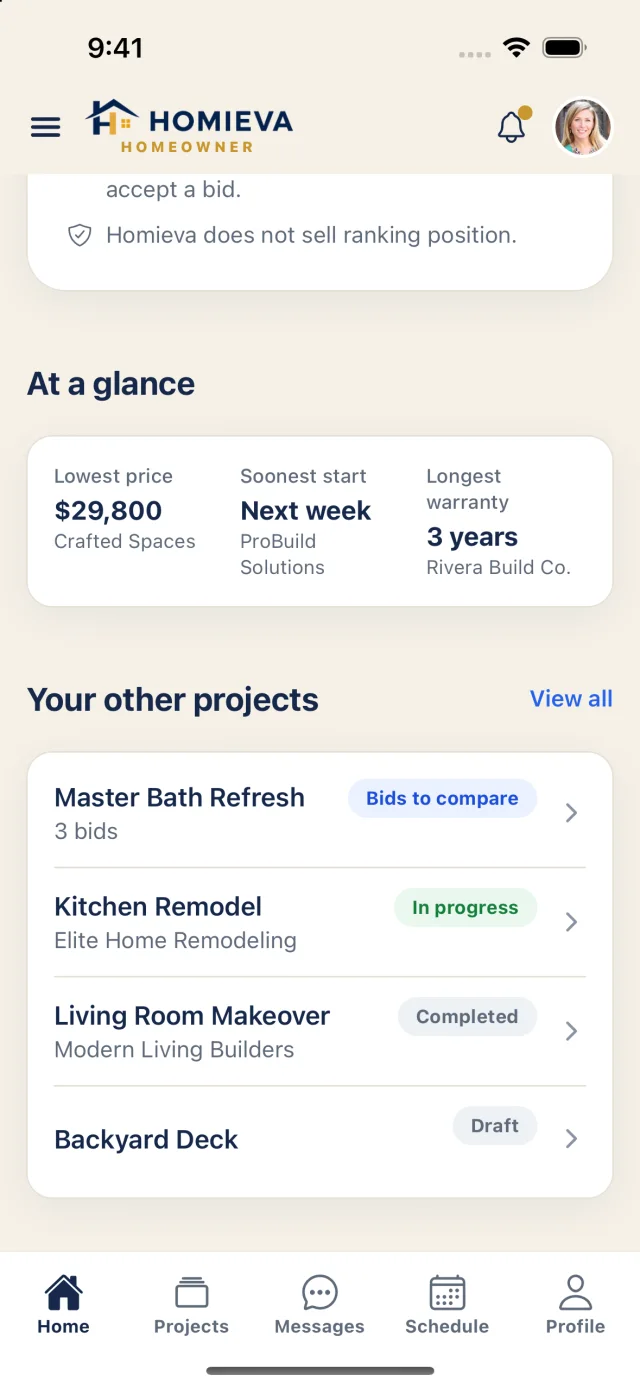
Homeowners post with city, state and ZIP and a first name. Pros bid in one structured format — price, scope match, allowances, exclusions, timeline, payment plan, warranty — and ask questions in a Q&A thread with contact detection. Contact details and the address are revealed to one pro, with consent, when a bid is accepted.
Estimates
AvailableBranded estimates with drafted line items.
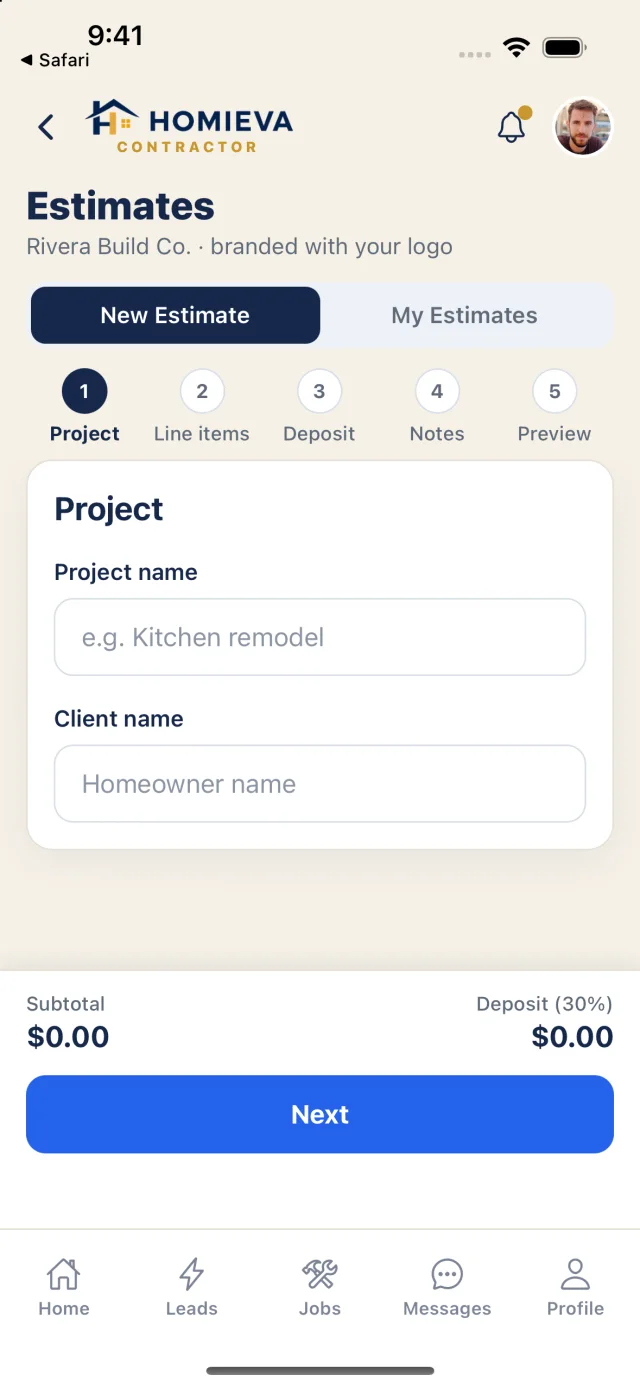
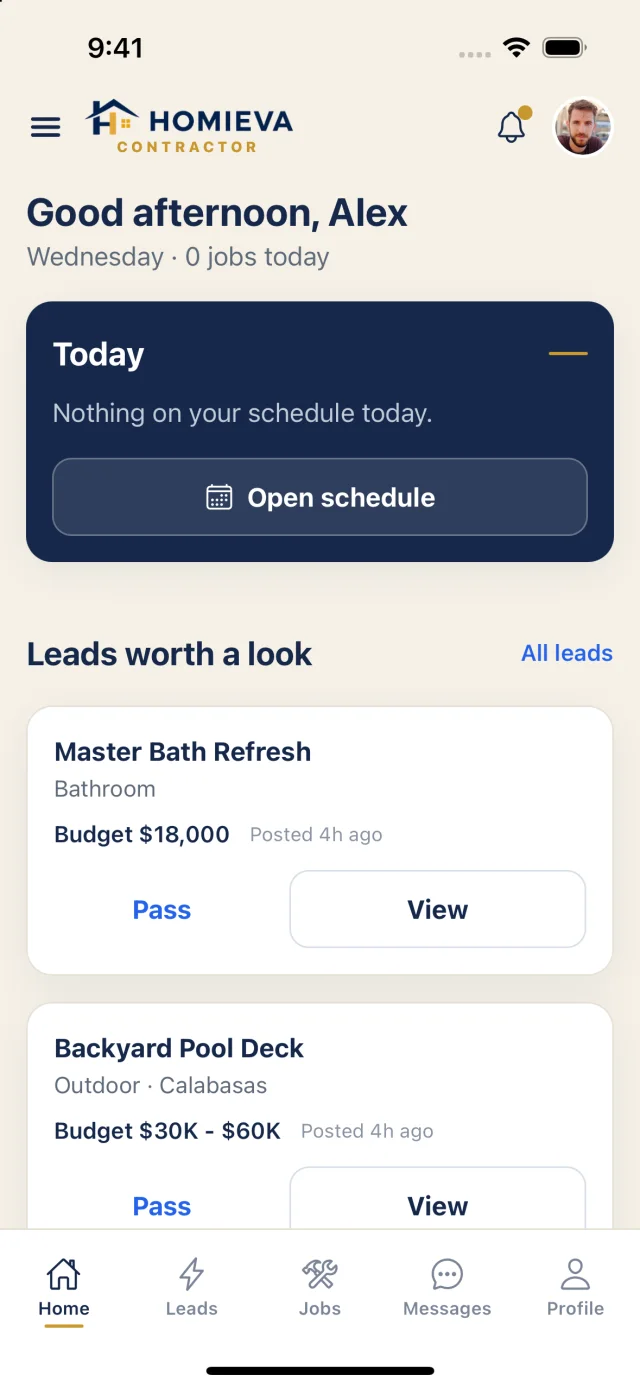
A five-step builder with the contractor's logo: project, line items, deposit, notes, preview. Homieva drafts line items from the scope; the contractor edits every number. Sent → Viewed → Approved or Declined, with reminders.
Contracts
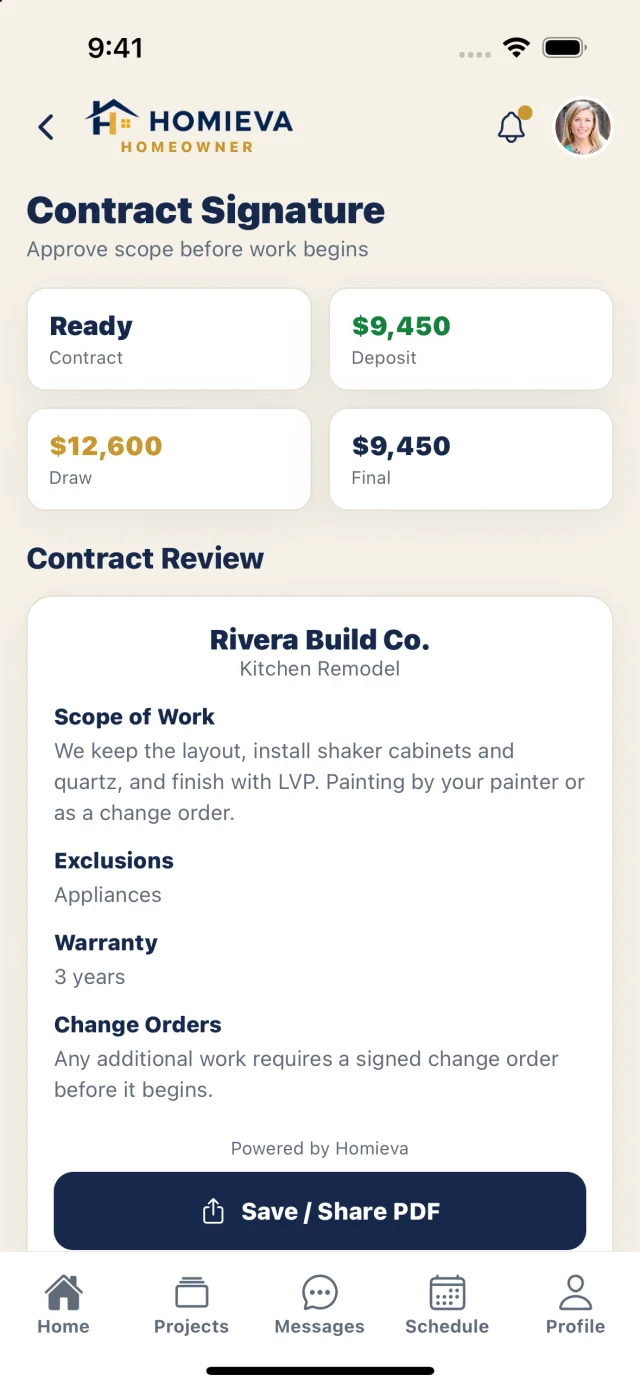
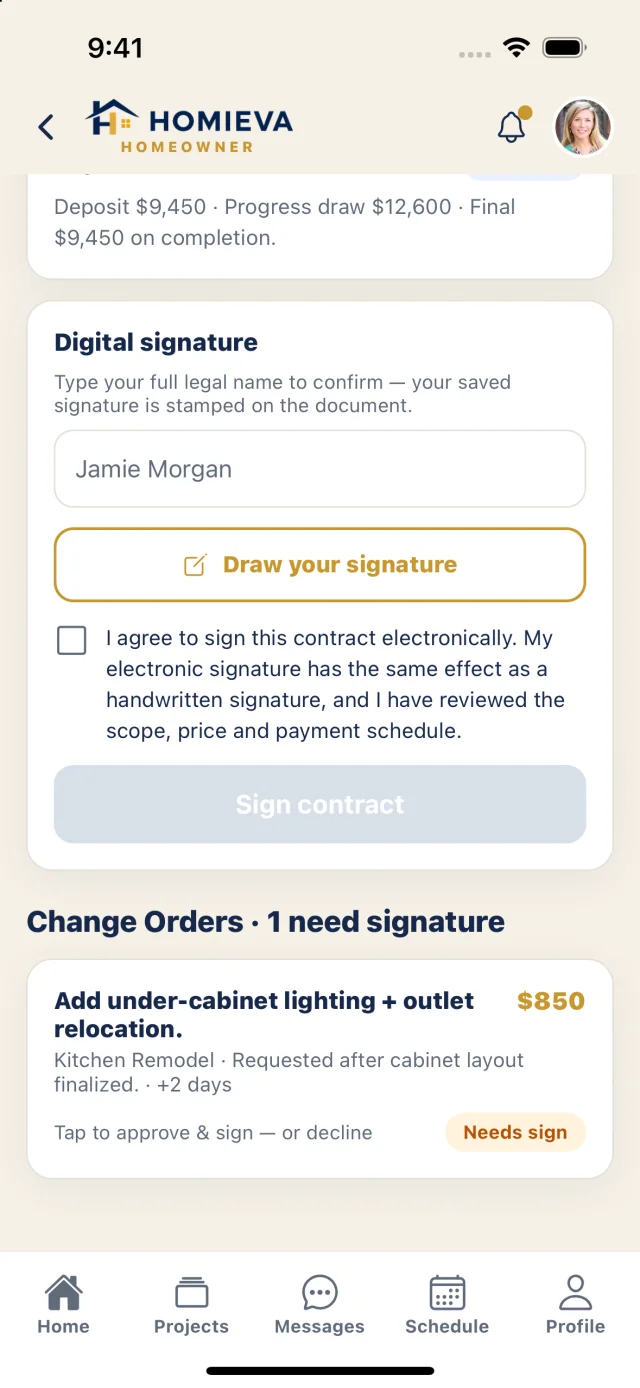
AvailableE-signed contracts with evidence.
Drafted from the accepted bid, immutable once signed, exported as a PDF with both signatures, a document fingerprint and every amendment. Signing records intent, identity, time, device and consent. A stored signature stays private — others see it only on the signed document.
Change orders
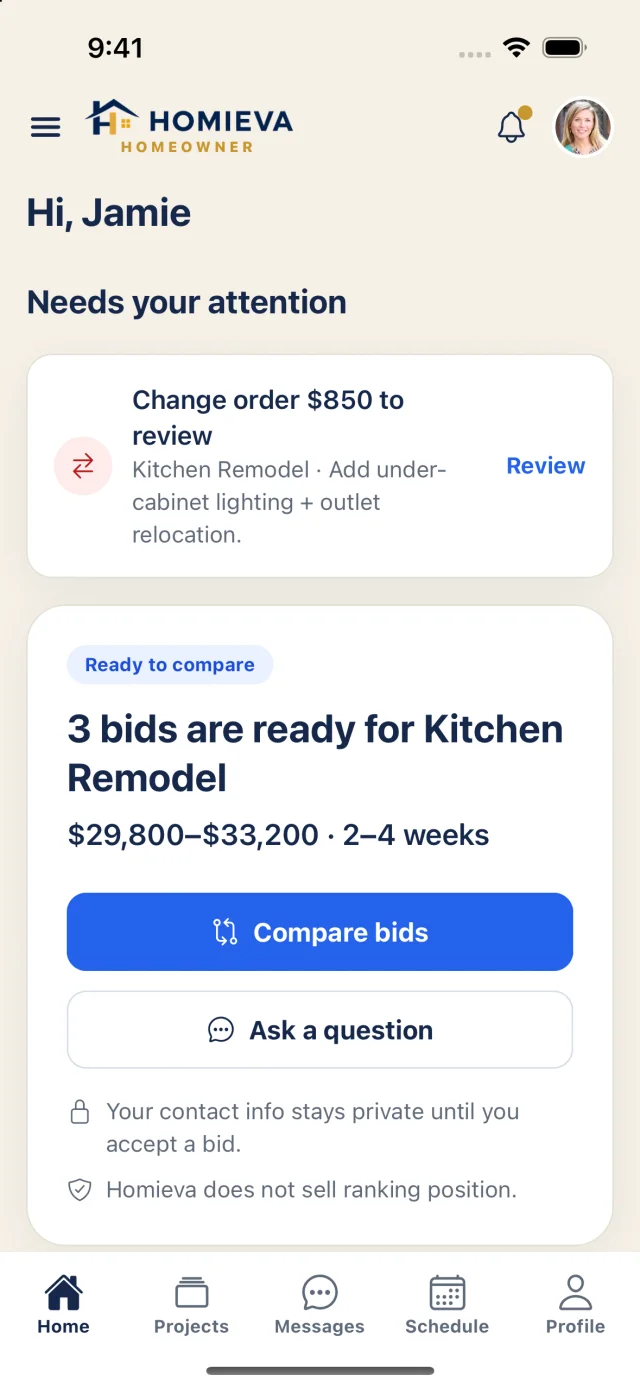
AvailableChange orders are signed amendments.
Each change order carries the price, reason and schedule impact. When signed, it updates the contract value, schedule and payment schedule, with an audit trail on the project.
Payments
Coming soonMilestone payments through Stripe.
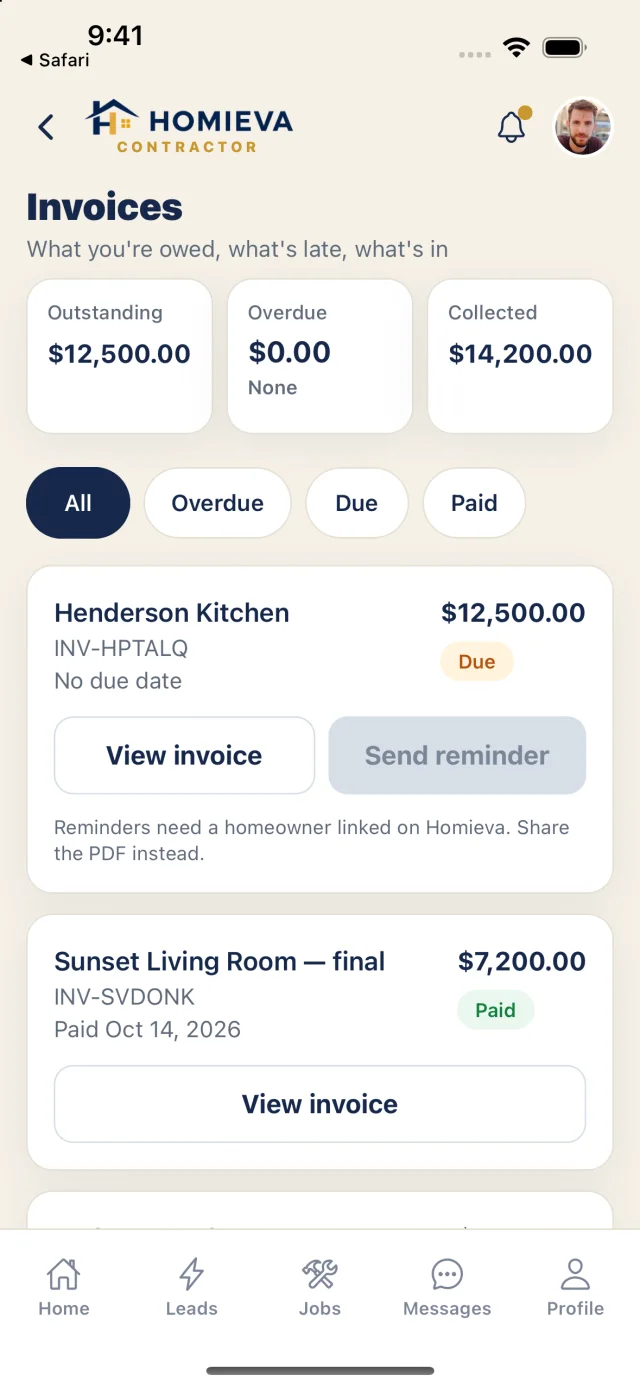
When online payments launch: milestone complete → evidence → homeowner approval → charge → paid to the contractor, through Stripe and Stripe Connect. Homieva will never hold a homeowner's budget in escrow. Today Homieva does not process or hold money: invoices, reminders and recording payments you collect directly all work now.
Project management
AvailableSchedule, crew, messages and tasks on the job.
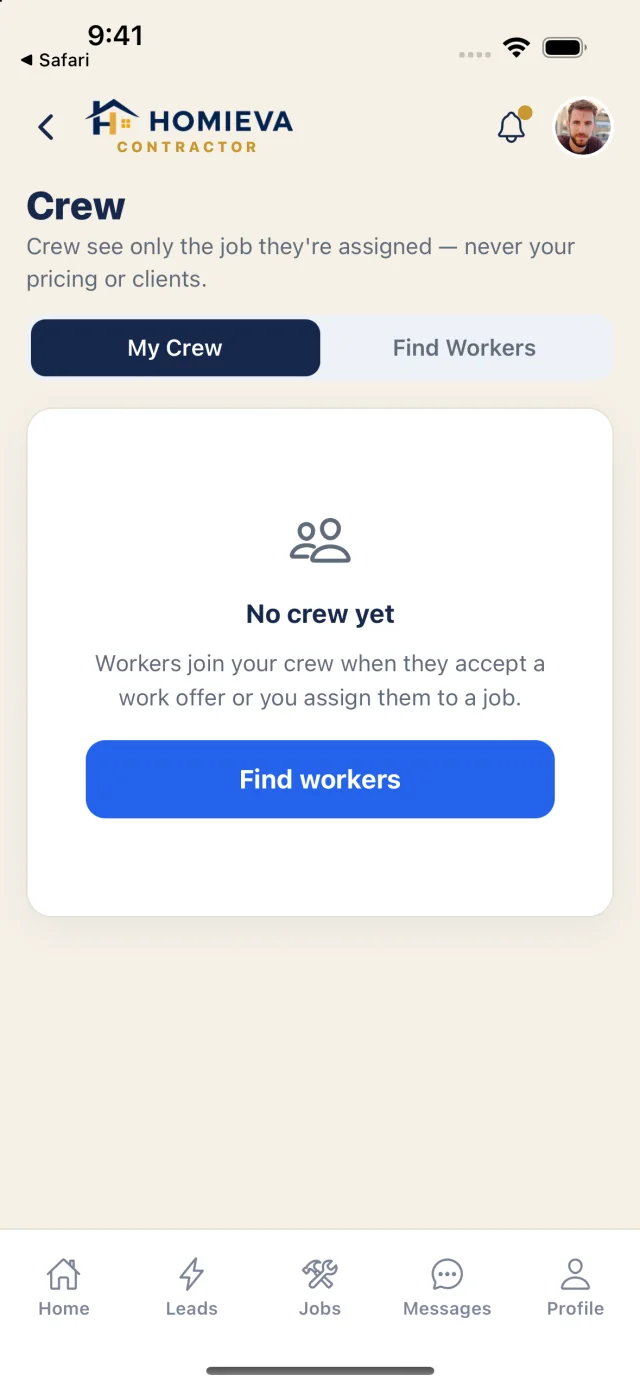
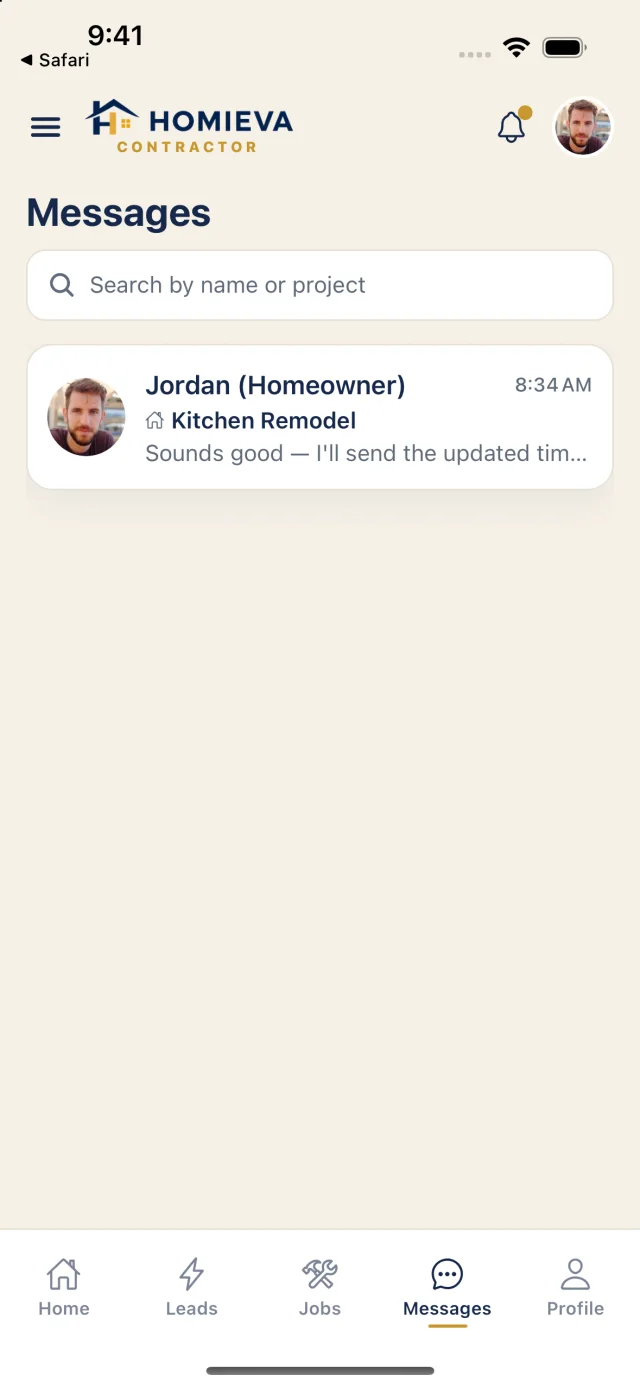
A project-aware schedule, crew assignments that hide pricing from workers, project-labelled messages for every role, grouped notifications that open the right screen, and a cross-project Needs Attention list.
Bid packages
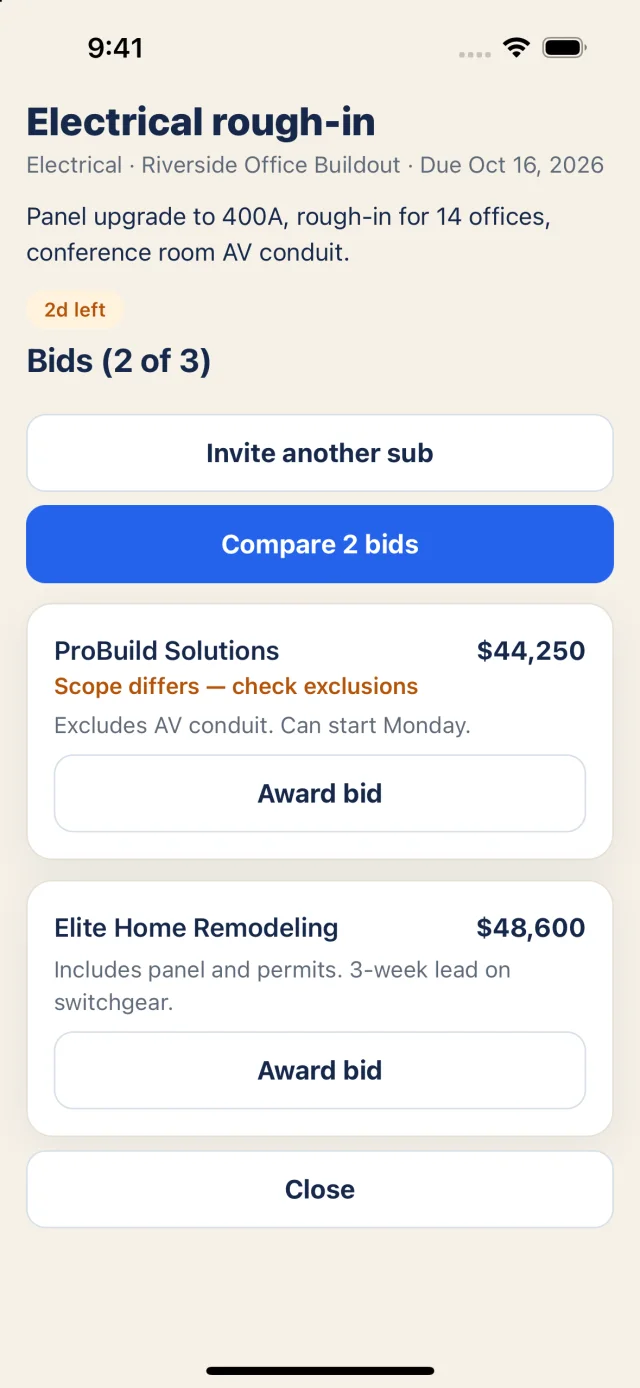
AvailableFor GCs: package, invite, compare, award.
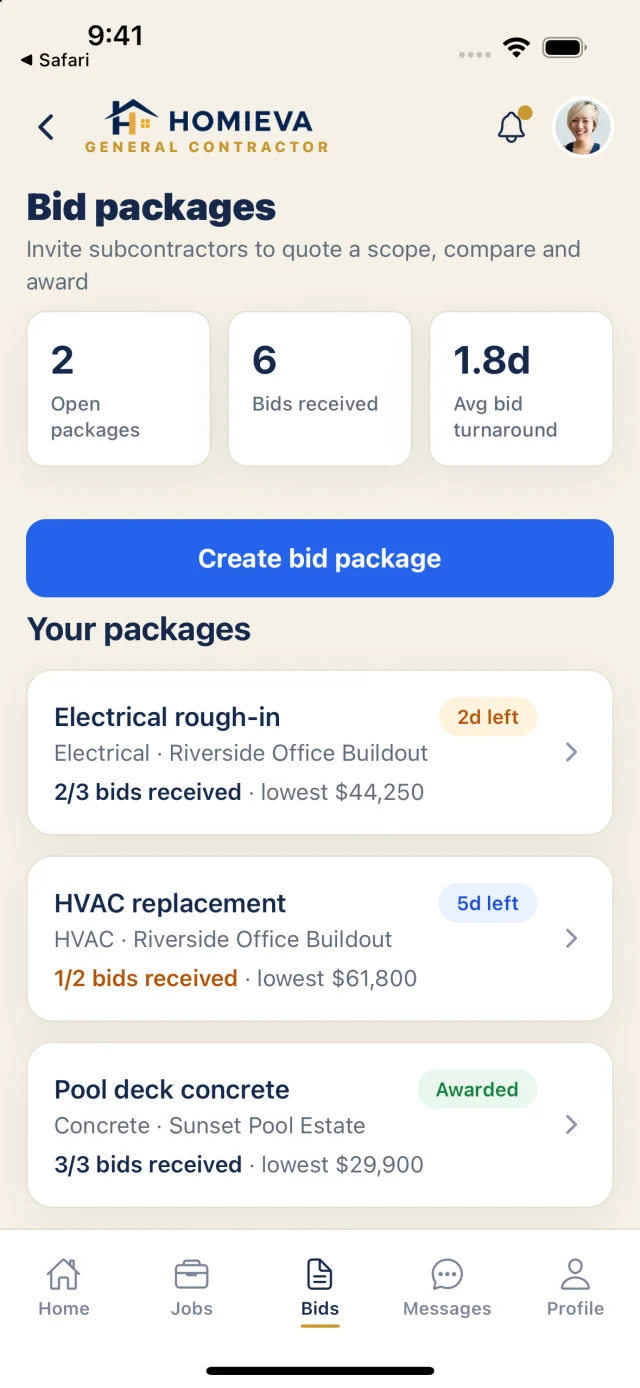
Create a package per trade, invite subs to quote, compare bids with scope differences called out, and award — with turnaround and bids-received tracking across the portfolio.
Crew & labor
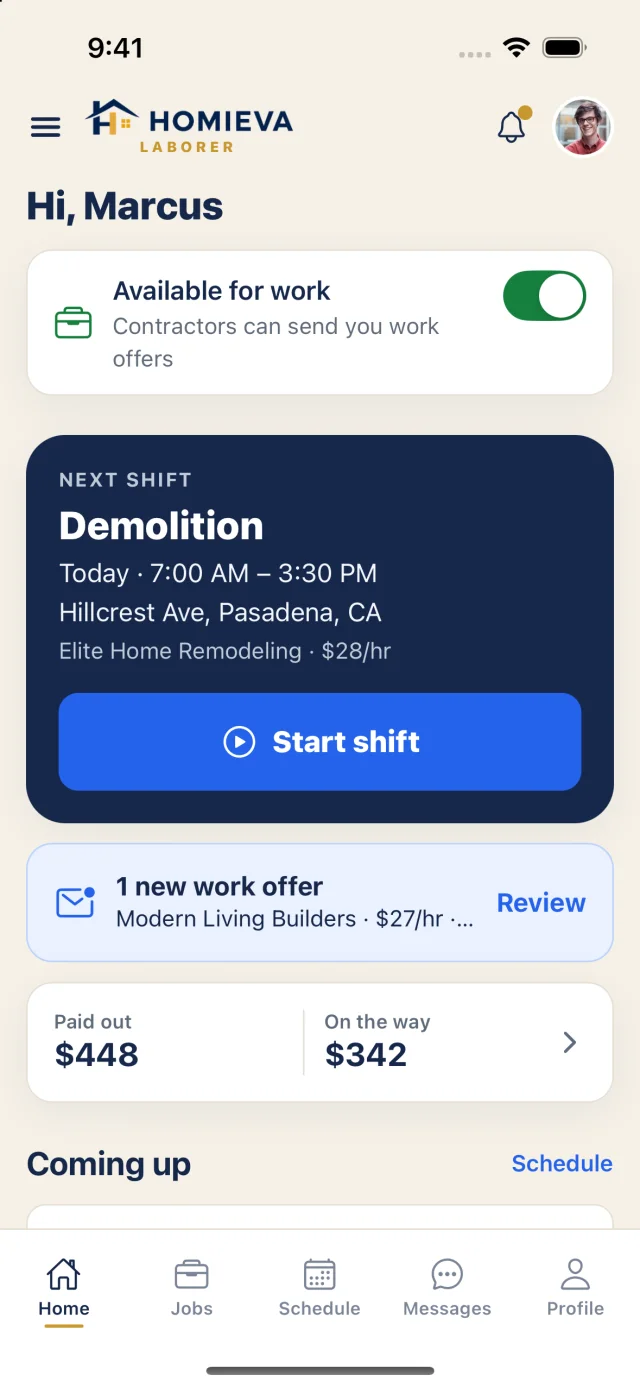
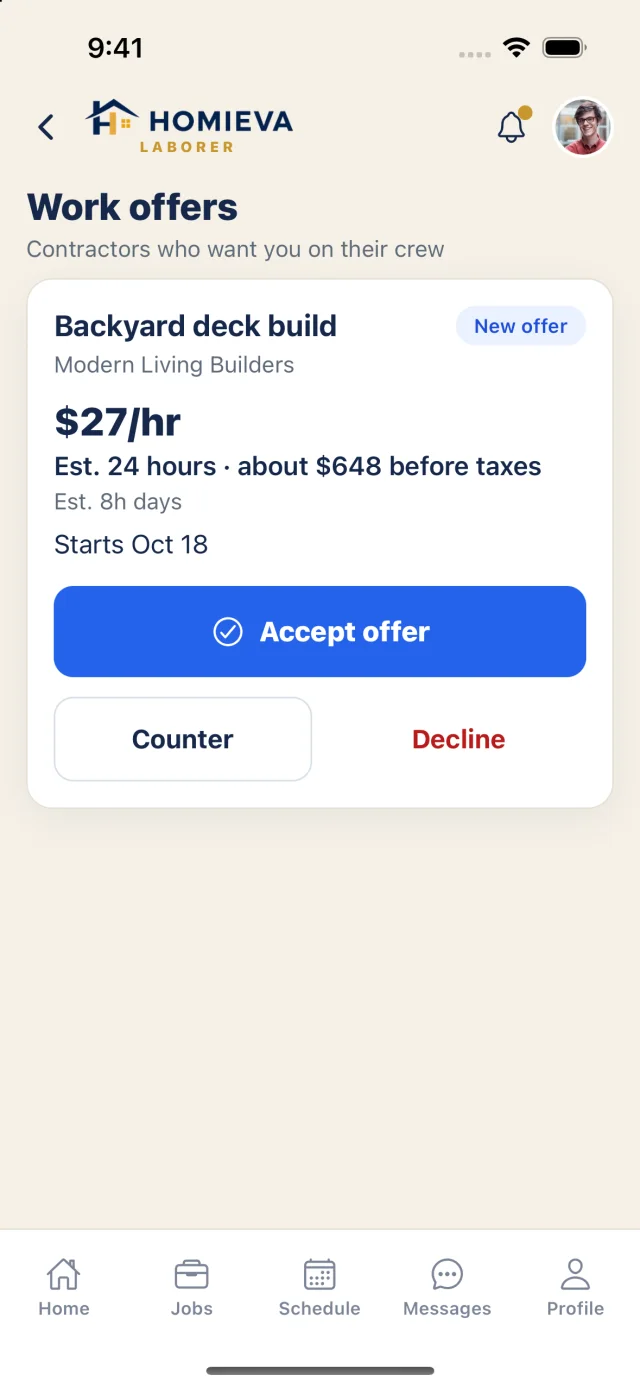
AvailableOffers, shifts and a real time clock.
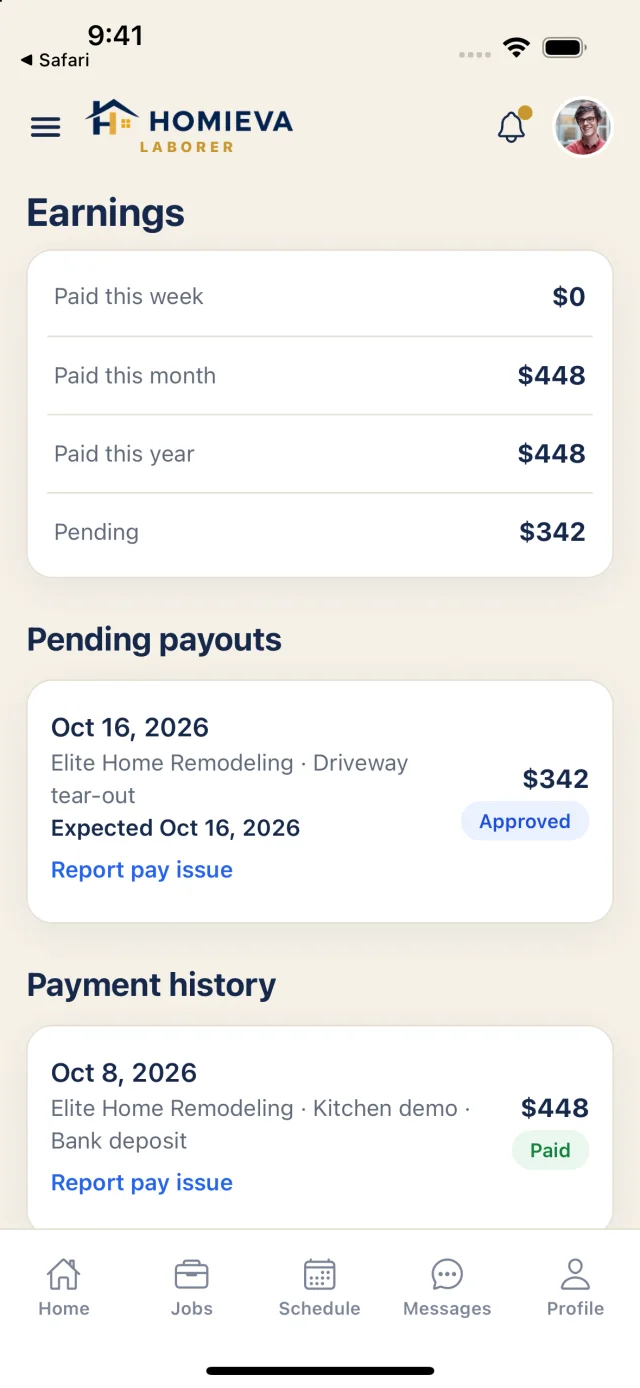
Laborers set availability and receive offers with rate and estimated pay; accepting creates an assignment. Start shift, breaks and clock-out with an offline punch queue; hours × rate per job; payments your contractor records, and pay-issue reports.
Warranty & home history
AvailableThe job ends. The record doesn't.
When a project is completed, its warranty activates and review eligibility opens — one review per completed Project ID. Warranty claims and project documents stay with the home. My Home, the maintenance planner and the full home improvement history are in development.
Drafting
AvailableHomieva drafts. People decide.
Homieva drafts estimate line items from a project's scope and answers business questions in the business assistant — always as a draft the contractor reviews and edits. Drafts never sign, sends, approves or charges anything on anyone's behalf.
Reports & budgets
AvailableThe desktop is your operations center.
KPI rail, 12-month revenue, margin trend, jobs at risk, budget variance, invoice aging, pipeline funnel and a sortable project table — and, for GCs, portfolio budget, committed, actual and forecast with change-order impact.
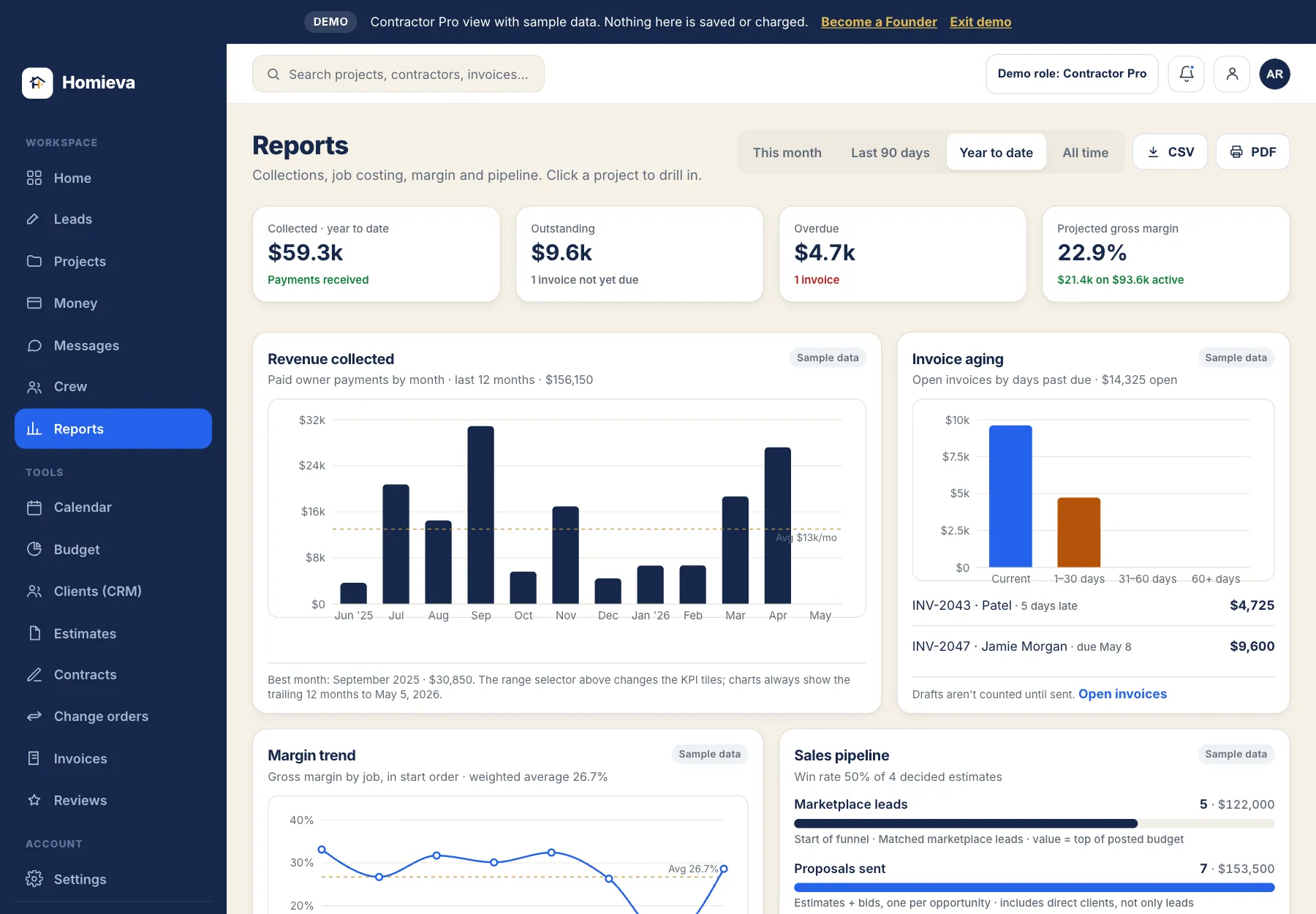
Captured from the public demo with sample records.
Where Homieva is going
Built to grow into the whole job.
Not built yet, and listed without dates. Founders get these as they ship.
Try Homieva before creating an account.
Explore everything with sample data. Nothing here is saved.