
Home / Homeowners
For homeowners · Always free
Every home needs a command center.
Manage your home. Plan projects. Hire trusted pros. Keep everything organized — from the first idea to the warranty, on one project record.
- Your phone number stays private until you choose a pro.
- No cold calls from contractors just because you posted a project.
- Always free for homeowners.
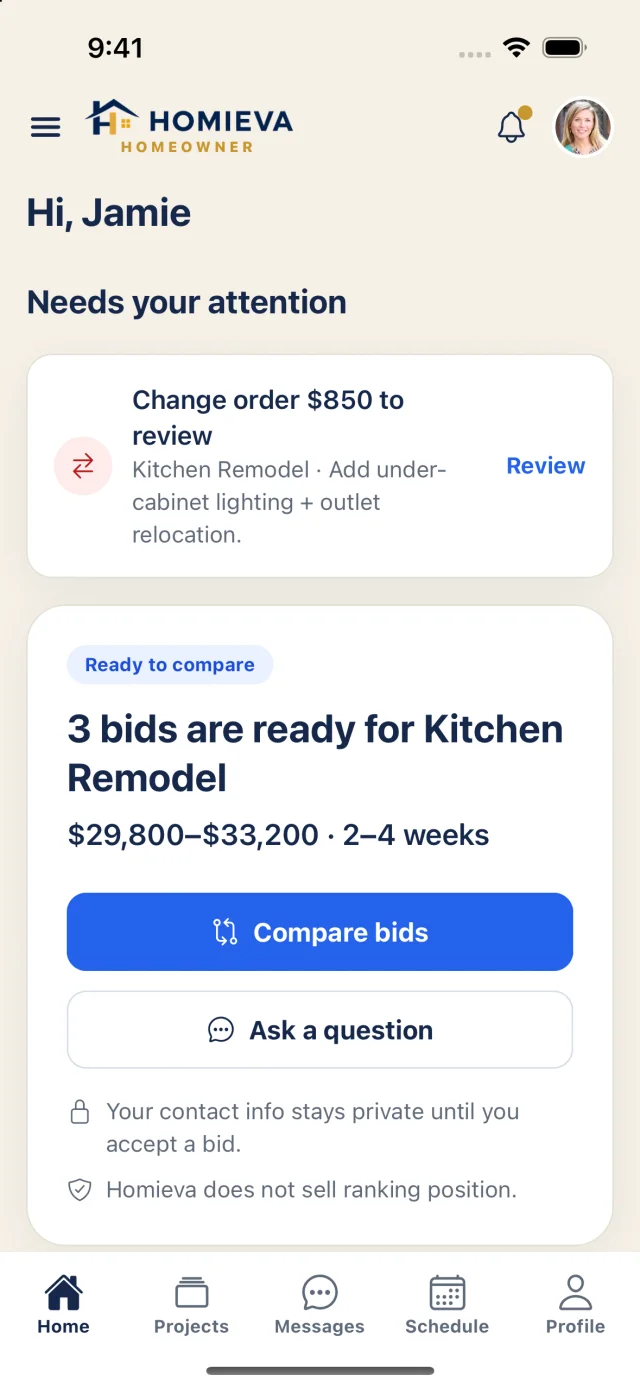
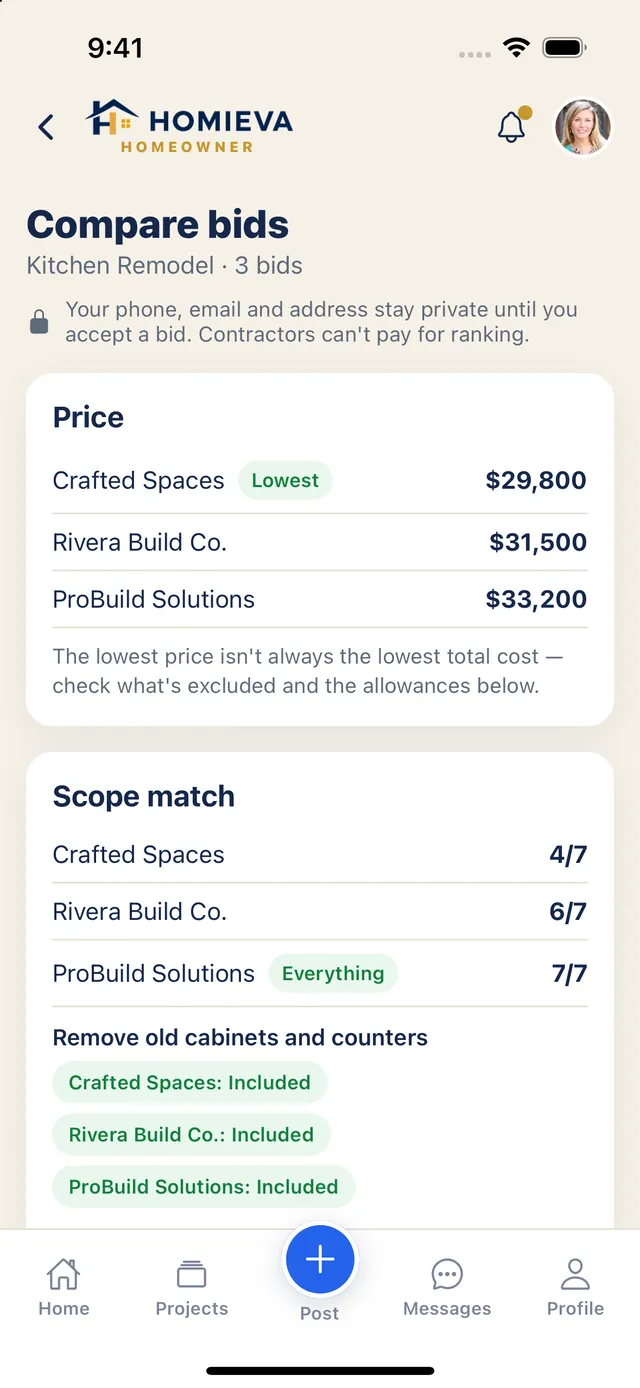
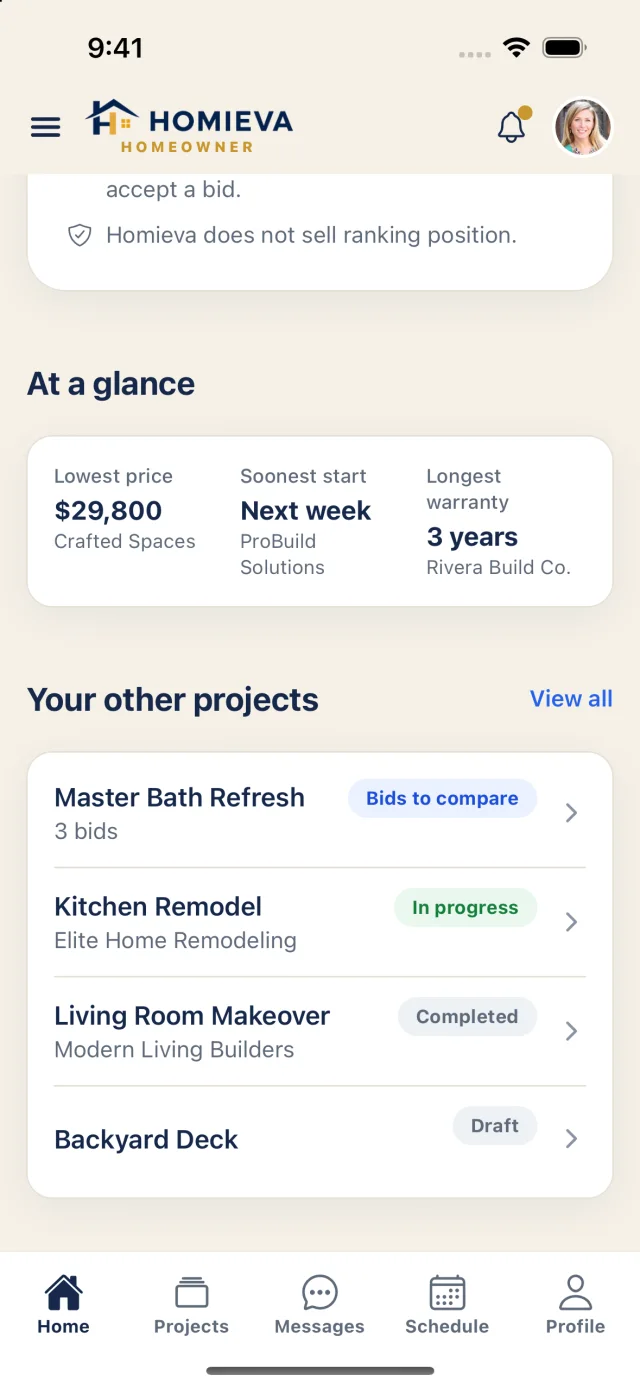
Real app screens: the homeowner home and the bid comparison.
How it works
Plan → Compare → Manage → Pay → Protect
Every step happens on the same Project ID, so the bid you accepted, the contract you signed, each change order and every payment stay connected — and become your home's history.
- Plan
- Post
- Compare
- Accept
- Contract
- Pay
- Build
- Warranty
Post privately
AvailablePost a project without handing out your number.
Describe the job, add photos and a budget range. While pros bid they see your first name and your city, state and ZIP — never your phone, email or street address.
- Questions stay inside HomievaPros ask in a Q&A thread with contact detection; attempts to swap numbers before you accept are blocked.
- No pay-to-rankContractors can't pay to appear higher. Ranking reflects fit, area, trade, verified work, reviews and responsiveness.
- NationwideJoin and we'll match you with available professionals serving your area. Where coverage is still growing, your project is saved and we'll tell you as qualified pros become available.
Compare
AvailableCompare bids on what actually matters.
Every bid is structured the same way, so you're comparing like with like — not three PDFs in three formats.
- Price, scope match and allowancesSee which bid covers your full scope and where allowances could make a bid look cheaper than it is.
- Timeline, payment plan and warrantyStart date, duration, deposit / progress / final split and workmanship warranty, side by side.
- Best overall fit — explainedThe trade-off is spelled out, e.g. what the higher price buys you. Contractors cannot pay for this ranking.
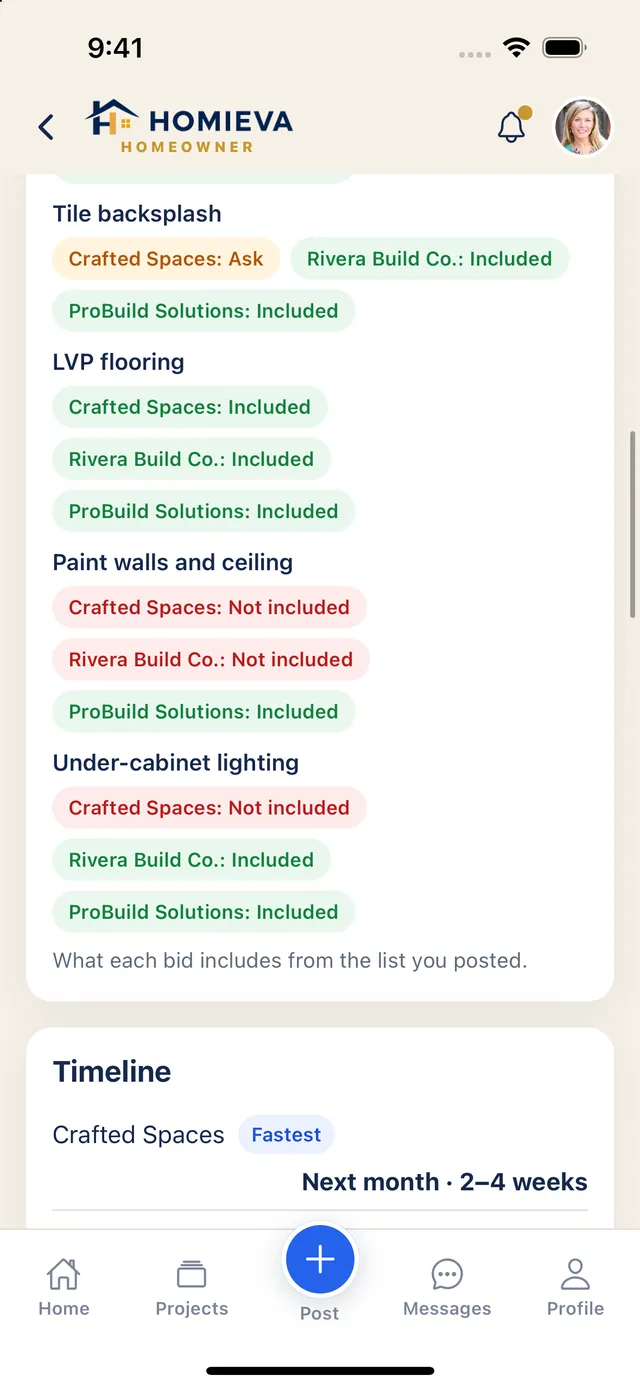
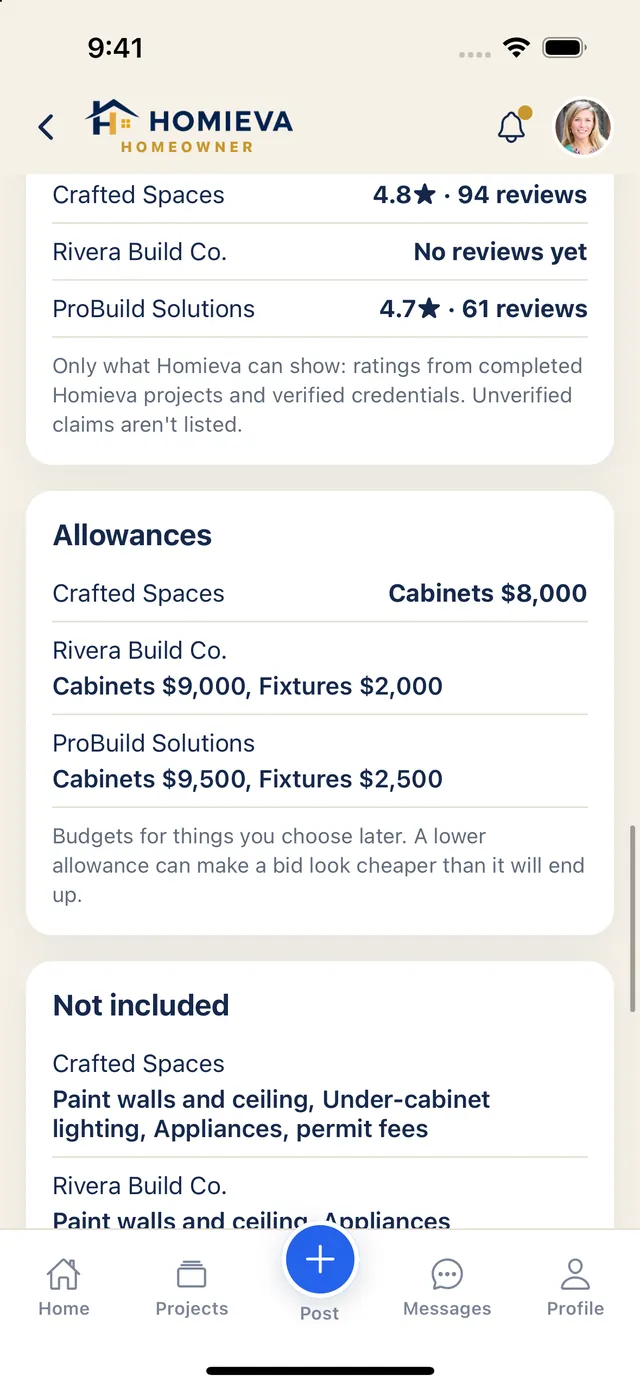
Your contact information stays private until you accept a bid.
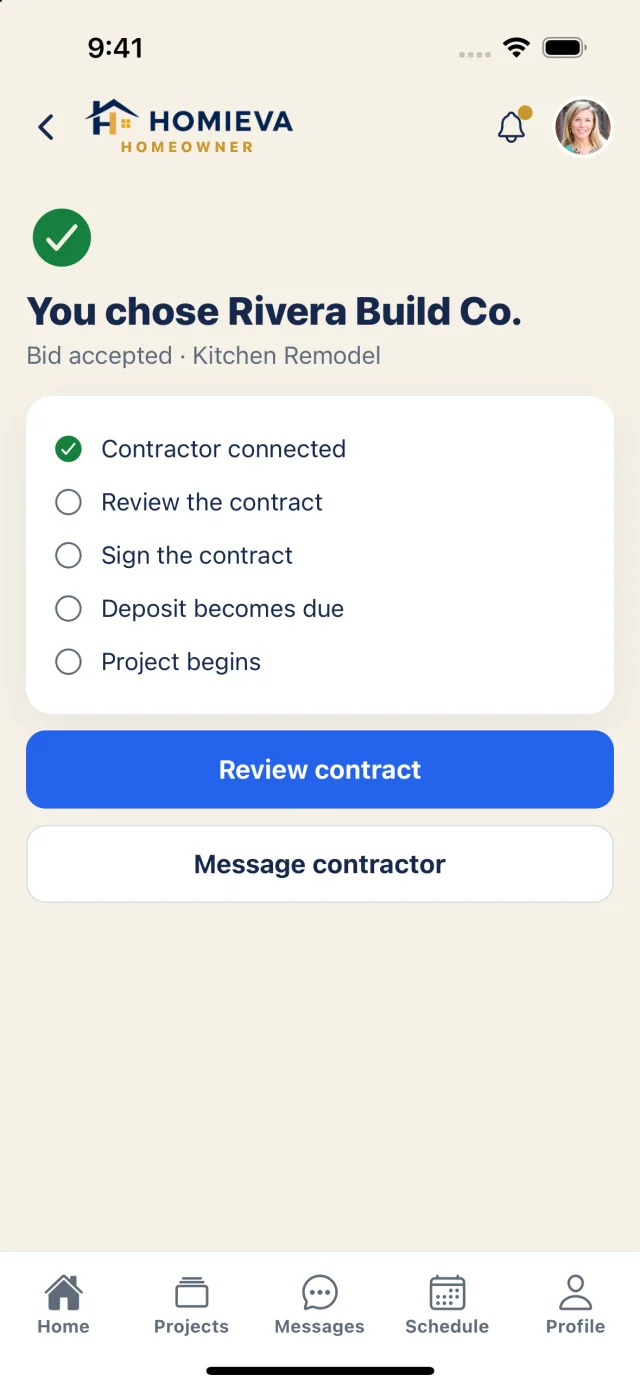
Accept & connect
AvailableYou decide when a pro gets your details.
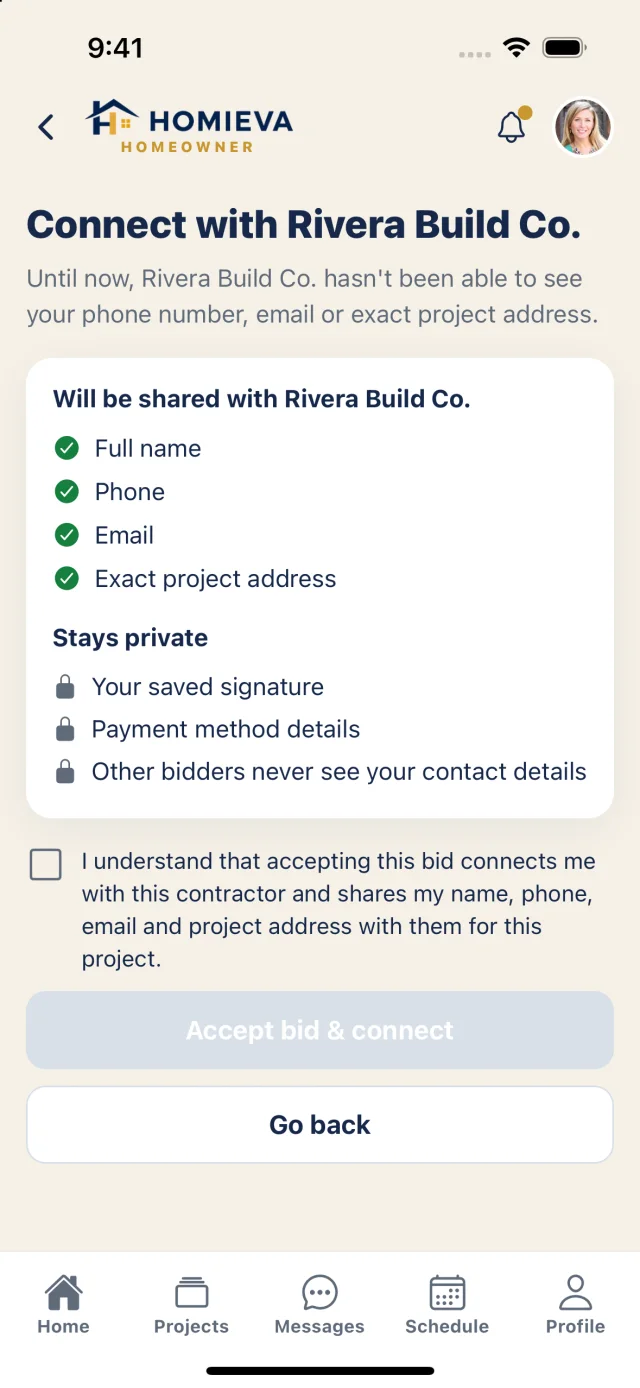
Before you accept, Homieva shows exactly what will be shared with that one contractor — and what stays private. You tick a consent box; only then are you connected.
- Shared with the pro you chooseFull name, phone, email and the exact project address.
- Always privateYour saved signature, payment method details, and your contact details from every other bidder.
Contract & change orders
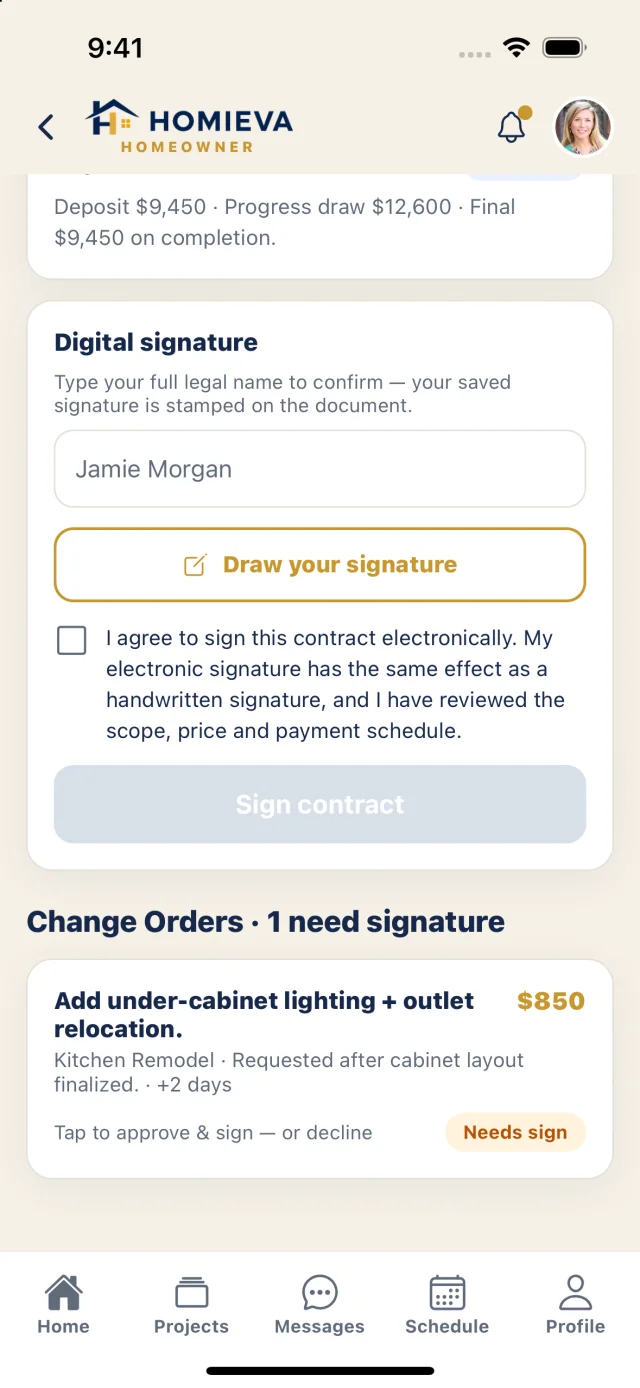
AvailableSign once. Approve every change.
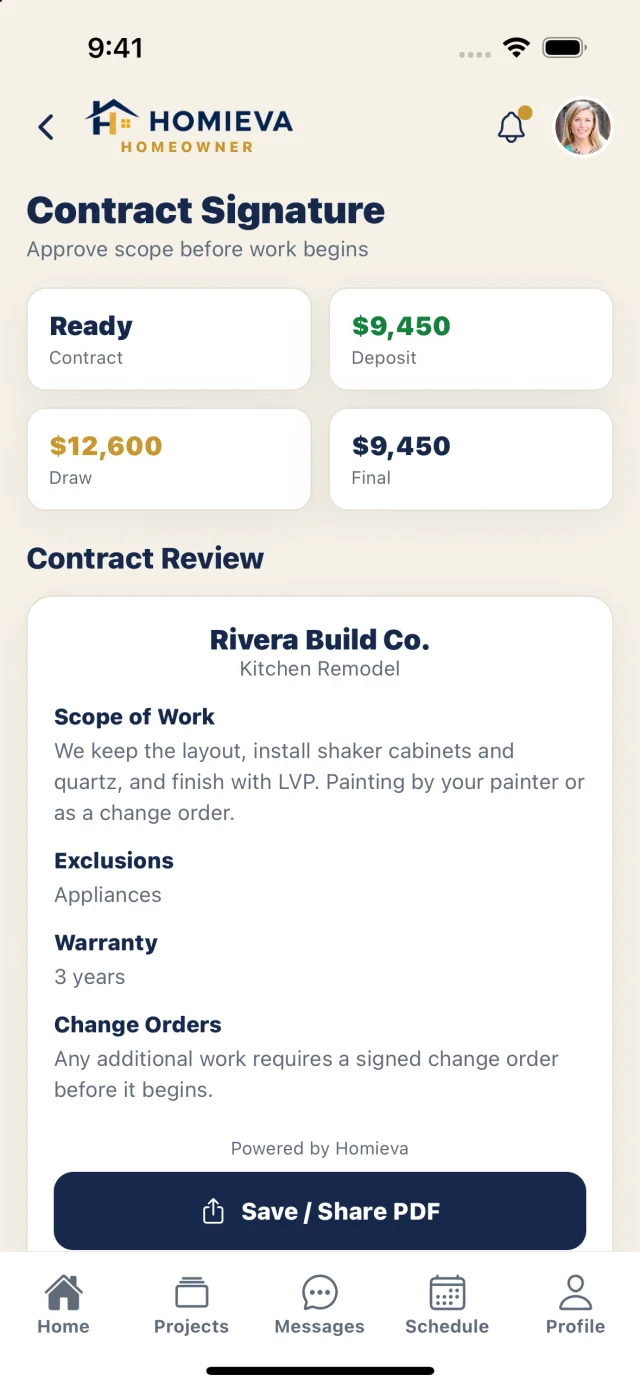
The contract is drafted from the accepted bid and is immutable once signed. Changes arrive as change orders — a signed amendment that updates the price and schedule, so there's never a surprise on the final invoice.
- E-signature with consent and evidenceIdentity, time and an audit record are captured with every signature. Your stored signature is private — others see it only on the signed document.
- Change orders need your signaturePrice, reason and schedule impact are shown before you approve or decline.
Pay by milestone
Coming soonPay for progress you've seen.
When online payments launch, milestone payments will run through Stripe: the contractor completes a milestone and submits evidence, you approve it, and only then will the payment be charged. Homieva will never hold your budget in escrow, and card and bank details will be handled by Stripe. Until then, you pay your contractor directly and they record the payment in Homieva.
My Home
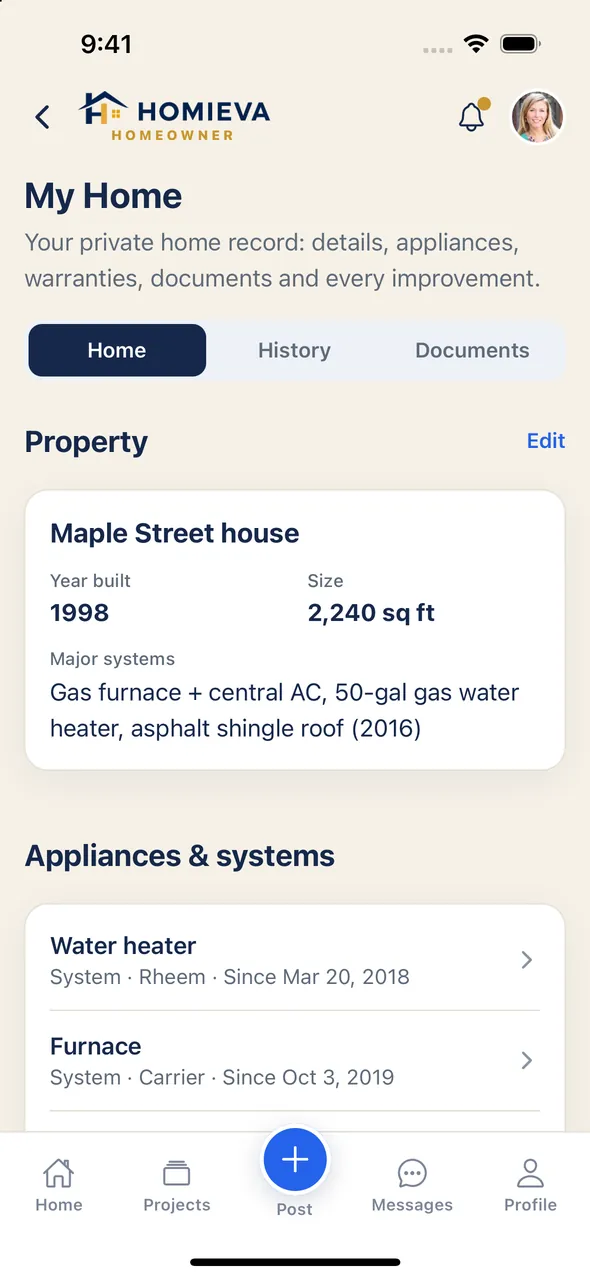
Coming with the app launchYour home's record, before you hire anyone.
A private record of your home that's useful on day one: the property profile, appliances and major systems, warranties and documents — and a home improvement history that includes work done outside Homieva. Completed Homieva projects land in it automatically.
- Home improvement historyWhat was done, who did it, when and what it cost — with receipts, permits and photos.
- Maintenance plannerSuggested tasks are opt-in, and nothing gets a due date until you say when you last did it. No fake urgency.
- Project plannerKeep ideas, photos, measurements and a budget private — then turn the plan into a project request.
Home Health Brief
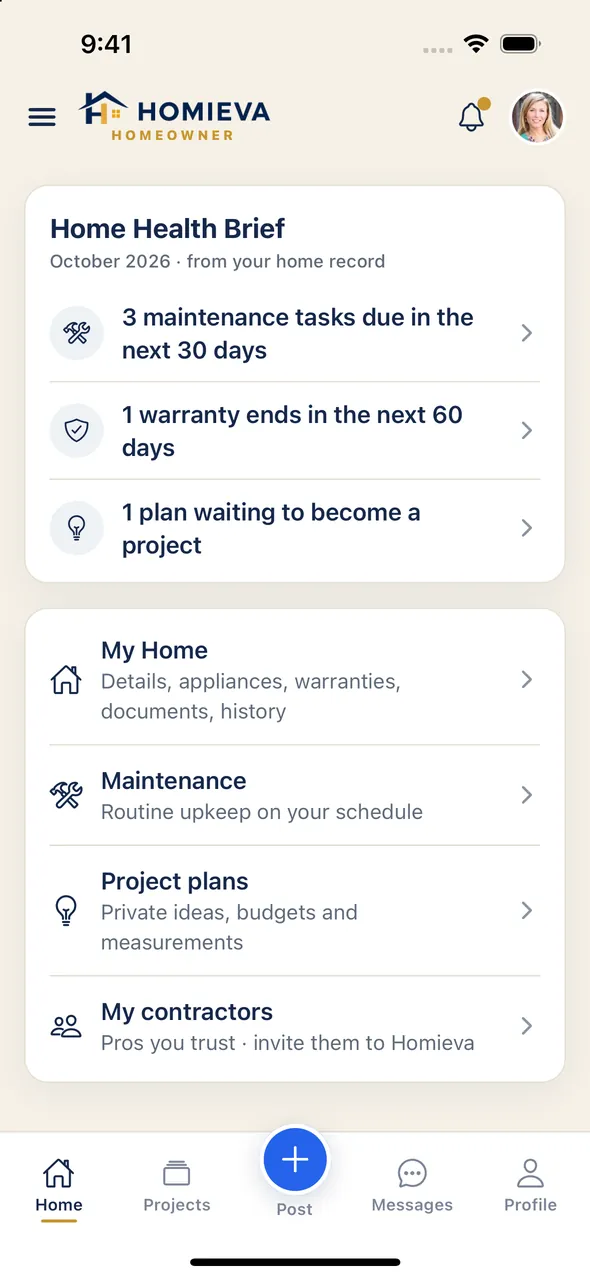
Coming with the app launchWhat your home needs, from your own records.
The brief on your Home screen pulls together what needs attention — and only from what you've recorded. When there's nothing real to say, it stays out of the way.
- Maintenance due and past dueTasks coming up in the next 30 days, and any you've missed.
- Warranties expiringAnything ending in the next 60 days, so you can claim before it lapses.
- Plans and new documentsProject plans you haven't posted yet and documents added this month.
Invite my contractor
Coming with the app launchBring the contractor you already trust.
Add a past or current contractor to your private home record and invite them by text, email or share sheet. They claim a profile, verify, and connect back with your consent. You keep the record either way.
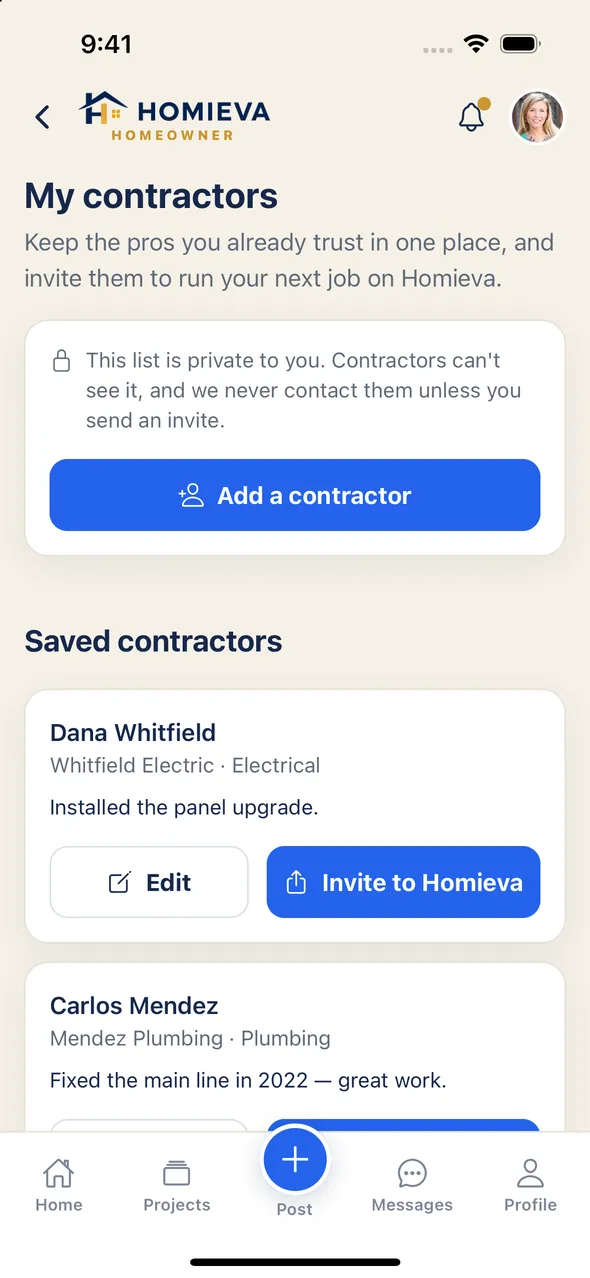
- Add them to your home recordA private entry: name, trade, what they did and when. It stays yours whether they join or not.
- Send an inviteBy text, email or your phone's share sheet — from the contractor's entry.
- They claim a profileThey sign up, verify, and pick their trades and service area.
- You're connectedHomieva tells you they joined. Your next project can go straight to them.
See the homeowner side for yourself.
Explore everything with sample data. Nothing here is saved.