
A construction daily log is a short, dated record of what happened on a job site that day: who was there and for how long, the weather, the work that got done, deliveries and inspections, visitors, delays, and anything the customer asked to change. Write it the same day, keep it the same way every day, and it becomes the best answer you have when someone later asks what happened, when, and why.
Most contractors already know they should keep one. The trouble is that a log written from memory on Friday, or one that just says "worked on kitchen," doesn't help anybody. This guide covers what to record, how to write entries that hold up, how long to keep them, and a simple template you can copy.
Why a daily log is worth five minutes a day
Disputes about schedules, extra work and payment usually come down to whose memory is better. A dated note written that afternoon beats anyone's memory. If rain shut the site down for two days, the log shows it. If the homeowner asked for an extra outlet on site, the log shows the date, and you can point to the change order that followed.
The log also helps you run the business. It shows where the hours really went, so your next estimate is closer. If you write construction estimates from your own past jobs, your daily logs are where those numbers come from. And when you're running more than one job, a quick look at each log tells you which one is slipping before the customer calls.
Finally, it keeps the customer in the loop. A homeowner who sees a short note every day of what got done worries less and asks fewer questions.
What to record every day
Keep each entry short, but cover the same items every time, so a missing piece stands out.
Date, job and author. The job name or address, the date, and who wrote the entry. If more than one person writes logs, each should sign their own.
Weather and site conditions. Temperature, rain, wind, and anything about the site that affected the work, such as standing water or a blocked driveway. Weather is one of the most common reasons a schedule moves, so note it even on a good day.
Crew and hours. Who was on site, for which company or trade, and roughly how many hours. For subcontractors, note the company and headcount. This is how you later show who was there when something was installed.
Work completed. What actually got done, in specific terms tied to the scope: "Set base cabinets on the north wall, shimmed and fastened" rather than "cabinets." Note where the work stopped if it isn't finished.
Materials and equipment. Deliveries received (with the supplier and what arrived), anything short, damaged or wrong, and equipment brought to or taken off the site.
Inspections and visitors. Building inspections and the result, plus visits from the owner, an architect, a utility or anyone else. Write down what was discussed or decided.
Delays and problems. Anything that stopped or slowed work: weather, a late delivery, a hidden condition behind a wall, a trade that didn't show. Say how long it held things up, as best you can tell.
Changes and instructions. Any request to add, remove or change work, who asked for it, and what you told them. The log is not the change order itself. It's the note that reminds you to write one before the extra work starts. Here's how a change order works, seen from the homeowner's side.
Safety notes. Toolbox talks held, hazards found and fixed, and any incident. Record facts, not opinions or blame.
Photos. A few dated photos of progress and of anything unusual, labelled so you can find them again. A photo of the framing before the drywall goes up is often the most useful picture on the whole job.
How to write entries that hold up
Write it the same day, ideally before you leave the site. Stick to facts: what you saw, what was done, what was said, and by whom. Leave out guesses and complaints. If something needs a follow-up, say what and who owns it.
Don't erase or rewrite old entries. If something was wrong, add a dated correction underneath. A log that's been quietly edited is worth much less than one with honest corrections in plain view.
Keep one log per job, in one place. Notes split between a notebook, a phone and a group text are hard to pull together months later, which is exactly when you'll need them.
A simple construction daily log template
Copy these lines into a notebook, a spreadsheet or your phone, and fill them in at the end of each day:
Job / address: ____ · Date: ____ · Written by: ____
Weather and site conditions: ____
On site (name or company, trade, hours): ____
Work completed today: ____
Deliveries and equipment: ____
Inspections and visitors: ____
Delays or problems, and how long: ____
Change requests and instructions (who asked, what was said): ____
Safety notes: ____
Photos taken: ____
Plan for tomorrow: ____
That last line is worth the few seconds. It keeps the crew lined up for the next day and shows the customer what's coming.
Records the law may separately require
A daily log is a good habit, but some records are required by federal rules, and your log doesn't replace them.
Injury and illness records. Under OSHA's recordkeeping rule, a company that had more than 10 employees at any time during the last calendar year generally must keep OSHA injury and illness records unless its industry is partially exempt. Every employer covered by the law must report a work-related fatality, an in-patient hospitalization, an amputation or the loss of an eye to OSHA, whatever its size. The OSHA 300 Log and related forms must be kept for five years after the end of the year they cover. If you're not sure what applies to you, check with OSHA directly.
Lead-safe work in older homes. For jobs that disturb paint in housing built before 1978, EPA's Renovation, Repair and Painting rule generally requires certified firms. Those firms must keep the records that show they followed the rule for three years after the renovation is finished, including documentation that a certified renovator was assigned to the project and performed the required cleaning verification. Your daily log can note when those steps happened, but keep the required records as the rule describes.
Your state or city may add its own rules, and your contract may say what records you have to keep or share. Your licensing board is the place to check.
Paper, spreadsheet or app?
Any of them works if you actually fill it in every day. Paper is quick on site but easy to lose and hard to search. A spreadsheet is searchable but awkward from a ladder. An app tied to the job keeps the log, the photos and the change orders together, and lets the customer see progress without a phone call.
Whatever you choose, the test is simple: six months from now, could someone who wasn't there read your log and understand what happened on any given day?
Keep the log on the job record
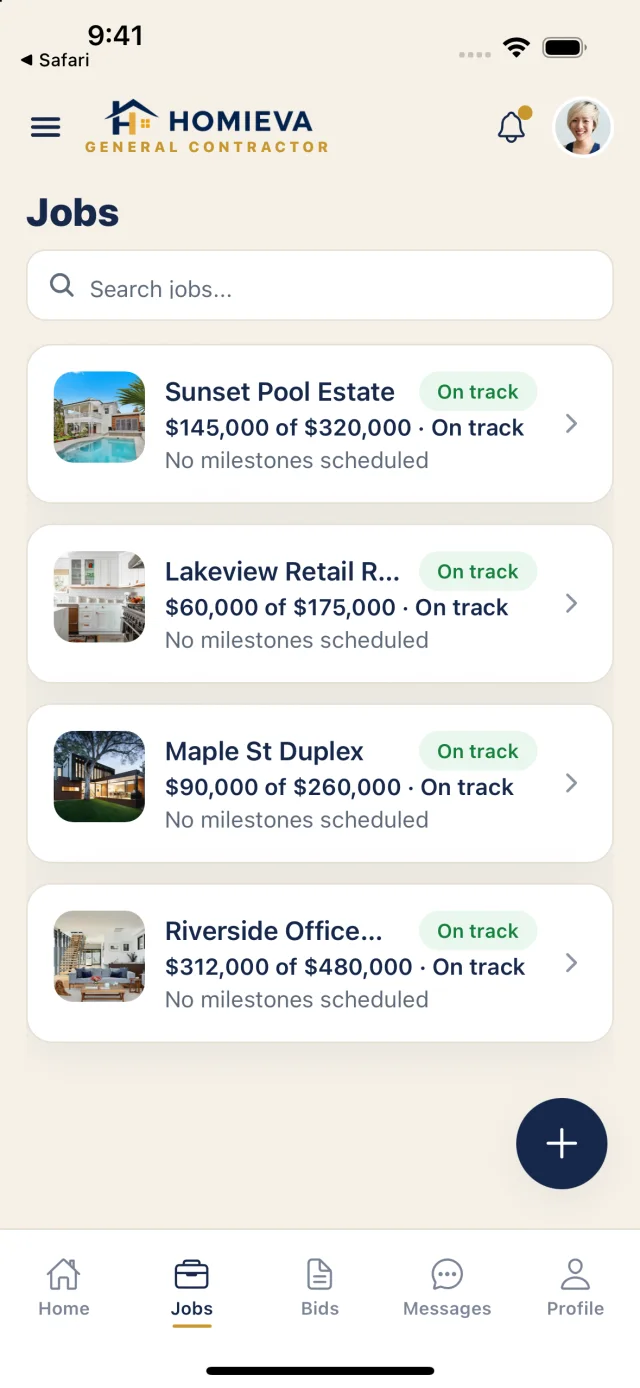
In Homieva, each project has a daily log on its own record. A contractor types what got done that day, the entry is dated and shows the weather and crew count, and the homeowner sees it in their own view of the project, next to the schedule, milestones, punch list and signed change orders on the same Project ID. You can see what's included for contractors or add a log entry in the live demo, which uses sample data.